Restore an archived Panopto recording for viewing or editing
Updated on: 20 November 2024
Follow these steps if you find a recording has been archived in Panopto and need to restore it for viewing or editing.
Restore an archived recording
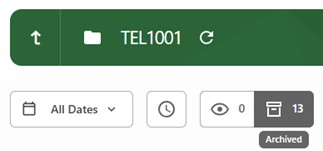
Within a Panopto folder, recordings which have been archived can be accessed using the ‘Archived’ button.
To restore, tab to or place your cursor over the recording thumbnail and select ‘Restore from Archive’

The restoration process will complete within 48 hours. A message will appear next to the thumbnail stating, ‘Video restore from the archive started [date and time]. Video will be available for viewing in 2 days.’
Once the restoration process is complete, the recording will be moved to the ‘Ready to view’ section of the Panopto folder.
