HR self service
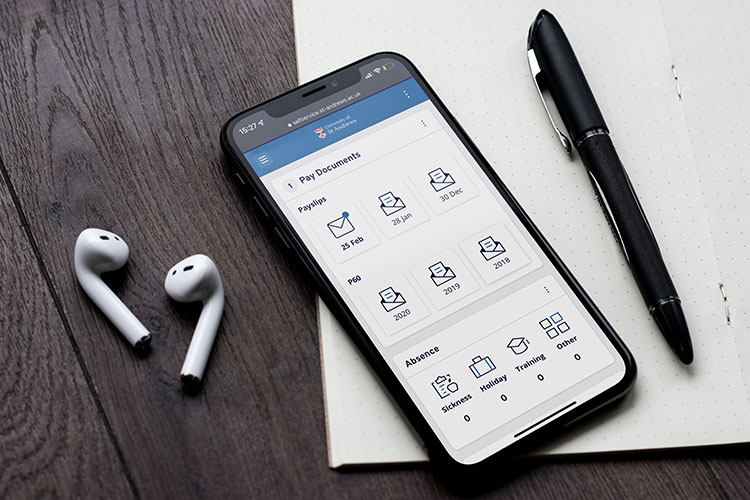
Please ensure all your details are up to date by logging in to self service to check your:
- contractual documents
- bank details
- emergency contact details
- personal details, including address and contact phone number
- payslips, available two working days before payday
Feedback form
We are always interested to hear your comments. Use the HR Services feedback form to tell us about your experience on the HR Self Service or any of the HR systems.
Need help?
Get help from the right team if you are having problems:
- logging in: itservicedesk@st-andrews.ac.uk
- using self service: hrsystems@st-andrews.ac.uk
- issues with your pay: monthly-ns@st-andrews.ac.uk
We are always interested to hear your comments. Use the HR Services feedback form to tell us about your experience on the HR Self Service or any of the HR systems.
User guides
Access to the HR Self Service is available for all current staff. To learn how to use the system, read the guides.
Annual leave and time back (TOIL)
Only some Schools and Units are using the HR Self Service. Speak to your line manager to check if you can use the system.
- Annual Leave - user guide (PDF)
- Annual Leave - manager guide (PDF)
- Time back - quick start (PDF)
Sickness
Sickness forms give managers a quick way to notify HR when a member of their team is off sick and for the member of staff to notify us when they return to work.
- Sickness - report sickness (for managers) (PDF)
- Sickness - report sickness (for superusers) (PDF)
- Sickness - return to work form (PDF)
HR forms
Delegations
- Delegations - user guide (PDF)